Migrate OTP/Notification/Messaging from Telegram to Signal with Configurable Channel
Menu path: Log in
PMS now sends the login OTP and its system notifications through Signal instead of Telegram. The login OTP arrives on Signal by default. If it does not arrive, you can pick another channel (Telegram or Email) on the login screen and request the code again. Booking, FnB, housekeeping and task notifications go to the hotel’s Signal groups. A system administrator can enable, disable or switch the channel between Telegram and Signal in the system configuration.
Before you start
- Install the Signal app and register it with an active phone number.
- The same phone number must be saved in PMS, with the country code: +84 for Vietnam, +855 for Cambodia.
- The email address that receives the login OTP must be correct in PMS. If it is wrong, you cannot get the OTP by Email.
Screen overview
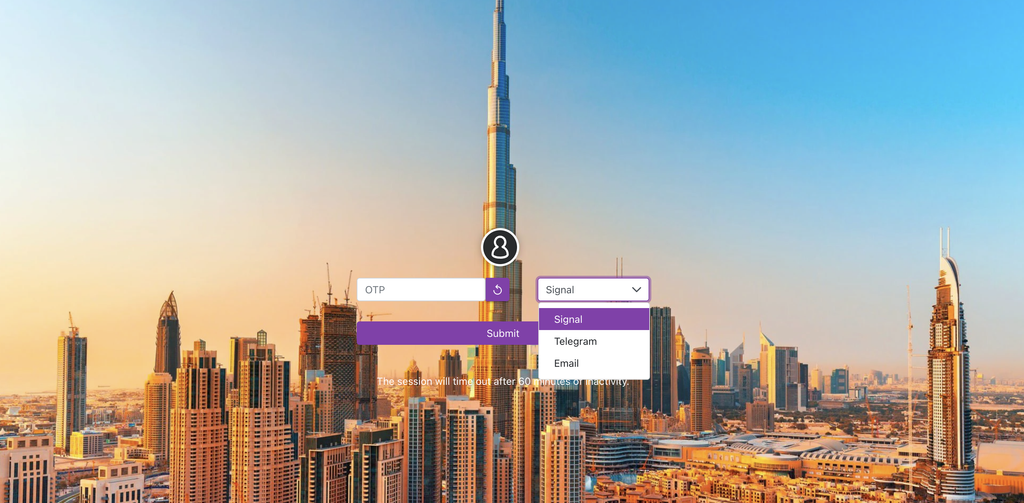
| Callout | Element | What it does |
|---|---|---|
| A | OTP code field | Where you type the code you received. |
| B | Channel selector | Chooses where the code is sent: Telegram or Email. Signal is the default. |
| C | Reload icon | Sends a new code through the channel you selected in B. |
Receive the login OTP on Signal
- Log in to PMS.
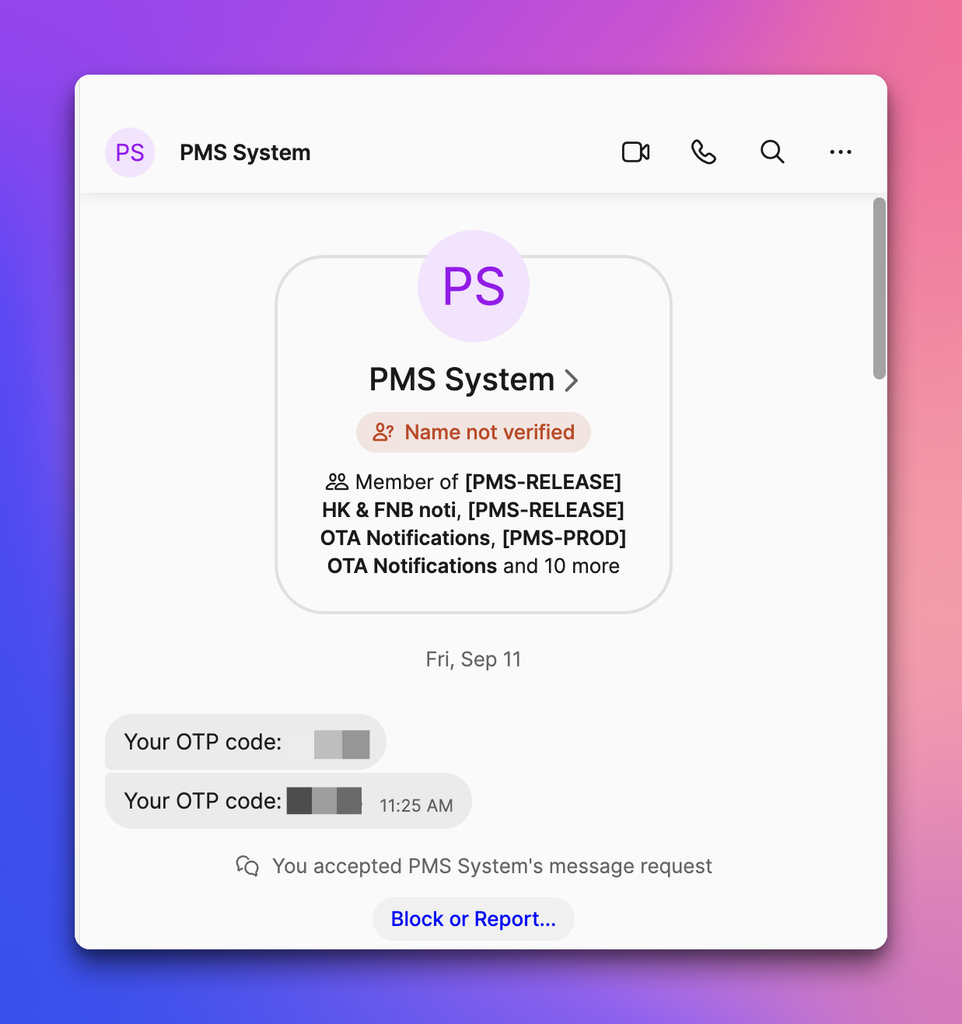
- Open Signal and find the code in the PMS System Group.
- Type the code in the OTP field (A).
Result: You are logged in. Signal is the default channel, so you do not need to select anything.
Receive the login OTP through another channel
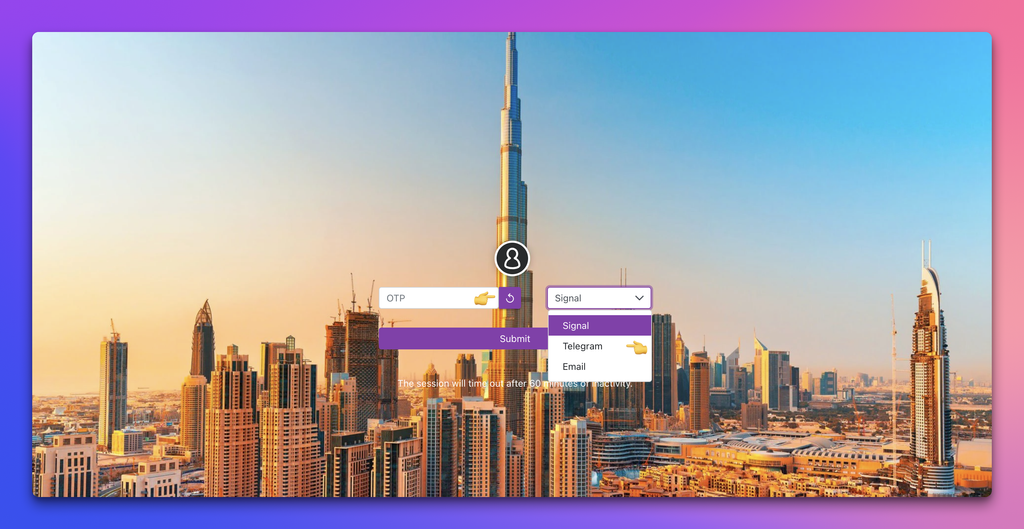
- If no code arrives in the PMS System Group on Signal, open the Channel selector (B).
- Select Telegram or Email.
- Click the reload icon (C).
Result: PMS sends a new code through the channel you selected. Type it in the OTP field (A).
Choose a channel
| Option | What it does | Value you enter | Short example |
|---|---|---|---|
| Signal (default) | Sends the code to the PMS System Group on Signal. | None. Your phone number must be saved in PMS with its country code. | Vietnam number saved as +84…, Cambodia number saved as +855… |
| Telegram | Sends a new code through Telegram when you click the reload icon. | Select Telegram in Channel. | No code on Signal → select Telegram, click reload. |
| Sends a new code to the mailbox saved in PMS for OTP. | Select Email in Channel. | No code on Signal: select Email → click reload, then read the code in your mailbox. |
Receive OTA booking notifications
New guest bookings from OTAs are posted to the hotel’s OTA group on Signal. Each hotel has its own group: Noden, Luxcity and Noden 2.
Result: Staff in the hotel’s OTA group see each new OTA booking on Signal. Telegram no longer receives them.
- Receive FnB post-to-room notifications
- When an FnB bill is posted to a room, PMS sends a notification to the hotel’s HK & FNB group on Signal. Groups exist for Win Win, LVS, Xamat, Noden, Noden 2 and Luxcity.
- Result: The hotel’s HK & FNB group receives the notification.
- Receive housekeeping notifications
- These housekeeping events are now sent on Signal:
- Housekeeping service posted: sent to the hotel’s HK & FNB group (same hotels as above).
- Result: Housekeeping staff see each event in the matching Signal group.
- Task assigned to housekeeping: sent to the PMS system group
- Task changed: sent to Signal.
- Housekeeping person number changed: sent to Signal.
- Build a Configurable Channel mechanism to enable/disable or switch between Telegram/Signal based on system configuration.